
2026 Art as Activism
T-Shirt Design Contest for High School Students
“Wear Your Voice” is the theme for the 2026 Art as Activism Contest!
What if a t-shirt could change minds? We’re inviting high school students to create artwork for a t-shirt that encourages people to vote in the November 2026 local, state, and midterm federal elections. Turn everyday clothing into a movement!
As with last year, professional judges will review the entries. The top three entries will be printed onto t-shirts and available for sale.
Ready to make your voice heard?
Please refer to the guidelines below for submission details.
Guidelines
Design a t-shirt to be considered in the contest.
The message must be nonpartisan (messages cannot be biased towards any specific political party).
ALL ENTRIES MUST include original artwork, and may not include licensed cover art unless it’s in the public domain (75 years or older).
Artwork must be 10x10 inches or smaller.
Entries will be posted electronically as well as printed.
Entries will be judged by a panel of professional artists and art educators.
Submissions are due by May 1, 2026 and can be submitted here via google form.
If you are not using a digital medium, you will need to convert it. To do so, follow the instructions below.
Before submitting, be sure to read through the checklist below. If your design does not comply with the guidelines and checklist, it will not be considered for an award.
If you have any questions, please reach out to ladies@leadingladiesvote.org.
Submission Checklist
Please check for the following before submitting:
All entries must include nonpartisan messaging (messaging cannot be biased towards any specific political party).
Entries must be able to be posted digitally, as well as printed.
For the Artwork:
All artwork must be 10x10 inches or smaller at 300 dpi.
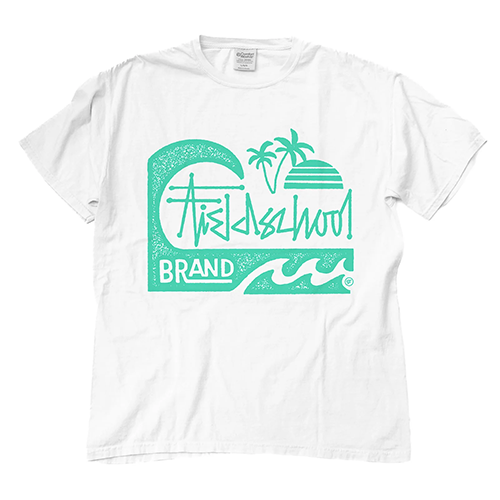
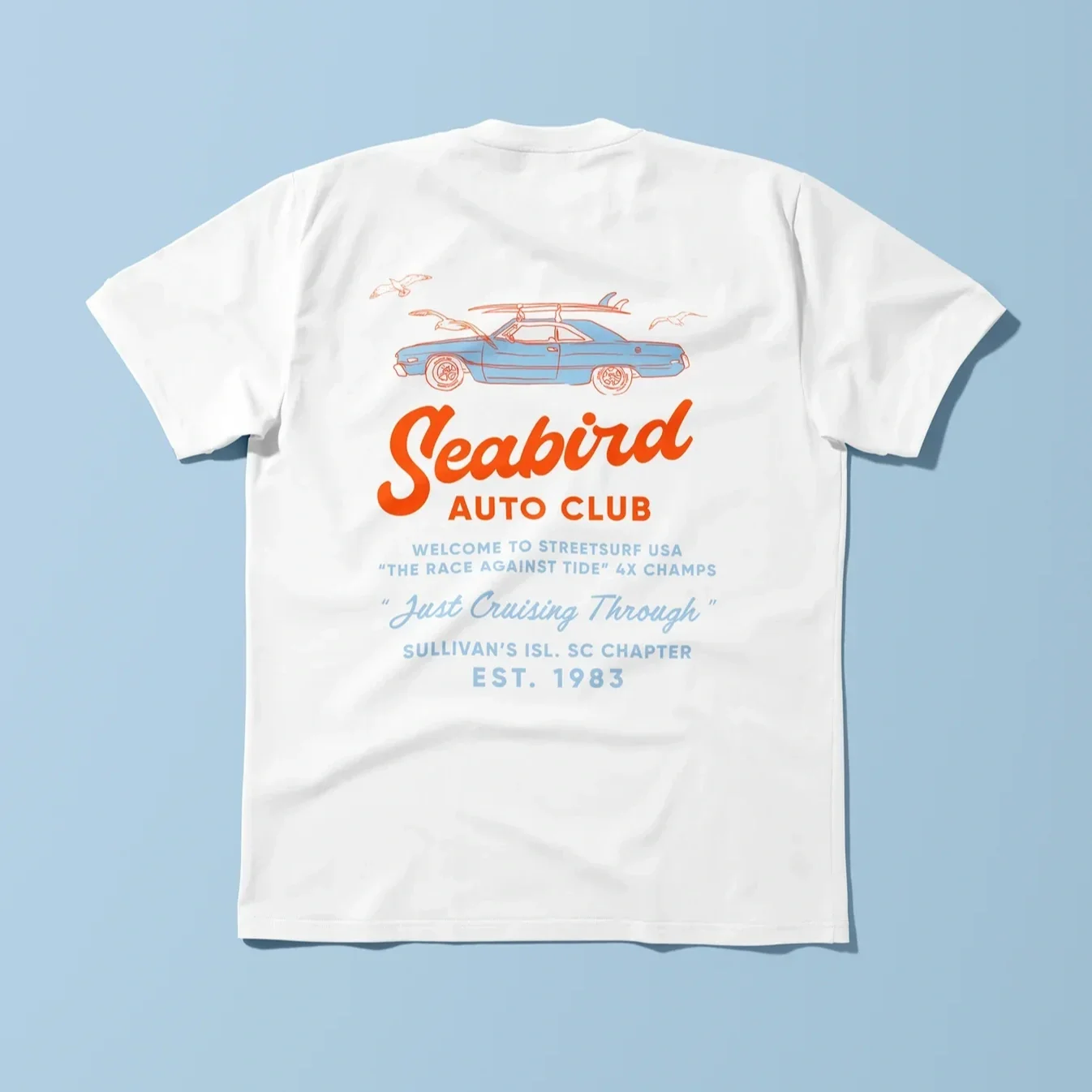
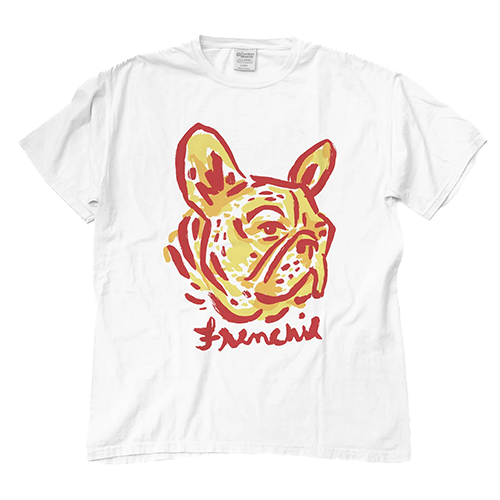
All artwork must be limited to 1–3 colors (examples below of limited color palette and simple designs).
Digital artwork must be saved as an EPS or PDF.
All Digital files must be less than 50MB.
For the Social Media Artwork:
All submissions of your t-shirt design must be resized at 1080x1080 pixels at 150 dpi.
Files must be exported as a JPG or PNG that is set to RGB.
In the submission form, you will be asked to include an optional artist statement. The artist statement must be nonpartisan (messaging cannot be biased towards any specific political party).
*Please submit your first name only in the submission form for privacy and security reasons.
How to Convert If You Didn’t Create Your Art Digitally
If You Have Access to the Adobe Suite:
Take a scan of your art. You can use a scanner or an app such as Cam Scanner on your phone.
Ensure the file is grayscale, then export it as a JPG.
Email it to yourself or air drop it to your computer.
Open the JPG in Adobe Illustrator.
In Illustrator, click on the image and in the top bar, click on “Image Trace” and click “OK.”
With the image still selected, go back to the top bar and click on this icon. This will open a panel so you can make adjustments to your trace.
In the panel under Advanced, we recommend sliding Paths all the way up to 100 and Noise all the way down to 1.
Further down the panel under Options, click the checkbox next to “Ignore color:” and ensure the color is set to white.
Once you’re happy with how it looks, select the “expand” button in the bottom of the panel.
You will not be able to select each shape within your art and recolor it the way you desire.
Once you are happy with your digital artwork, make sure the file is 10”x10” or smaller, then go to File > Save As > select “EPS” in the format dropdown, and click save.
If You Do NOT Have Access to the Adobe Suite:
Take a scan of your art. You can use a scanner or an app such as Cam Scanner on your phone.
Ensure the file is still in color, then export it as a JPG.
Email it to yourself or air drop it to your computer.
On your computer, go to Vector Ink and use their SVG Converter.
Drag your image into the upload area.
Once it loads, ensure “color” is clicked on. Then, click the “edit” button.
This will open a new canvas for you. Once it opens, you can double click into your art and recolor the pieces of your artwork by clicking on a shape, then going to the circle in the top right corner and choosing a new color in the color wheel.
Once you’re happy with how it looks, click on the export icon in the bottom of the right hand panel. For file type, choose JPG. Then click “save.”
Ready to submit your art?
In the submission form, you will be asked to include an optional artist statement. The artist statement must be nonpartisan (messaging cannot be biased toward any specific political party).
Once you’ve completed everything on the checklist, please fill out the submission form linked below.